
You can log in to the Guinea eVisa portal at paf.gov.gn to check your application status, download your Entry Visa Letter, or start a new application. The official login page gives registered applicants direct access to all their visa documents and application history.
What Is the Guinea eVisa Login Portal?
The Guinea eVisa login portal is the official online system managed by Guinea’s border police (Police de l’Air et des Frontières) at paf.gov.gn. Every applicant who submits an eVisa request creates an account tied to their email address. Logging in gives you access to your submitted applications, approval status, and downloadable documents.
The portal is used by all visa types – tourist, business, transit, and long-term. Whether you applied through the Guinea eVisa online system or through a third-party service, your official application data lives on this portal.
How to Log In to the Guinea eVisa Portal
Follow these steps to access your Guinea eVisa account:
Step 1: Go to the official portal
Open your browser and navigate to paf.gov.gn. Click the “Login” or “Connexion” button on the top navigation bar.
Step 2: Enter your credentials
Use the email address and password you created when you first submitted your Guinea visa application. If you applied through an agency, they may have created the account using your email.
Step 3: Access your dashboard
After logging in, you will see your application dashboard. This displays all current and past applications, their status, and available documents.
| Dashboard Section | What It Shows |
|---|---|
| My Applications | List of all submitted eVisa requests with status |
| Application Status | Current processing stage (pending, approved, denied) |
| Download Documents | Entry Visa Letter PDF when approved |
| Profile Settings | Update email, password, or personal details |
What Can You Do After Logging In?
Once inside the Guinea eVisa portal, you can perform several important tasks:
Check your application status – The dashboard shows whether your application is pending review, approved, or requires additional documents. Status updates appear in real-time as immigration officials process your request. For a detailed walkthrough, see our guide on how to check Guinea visa application status.
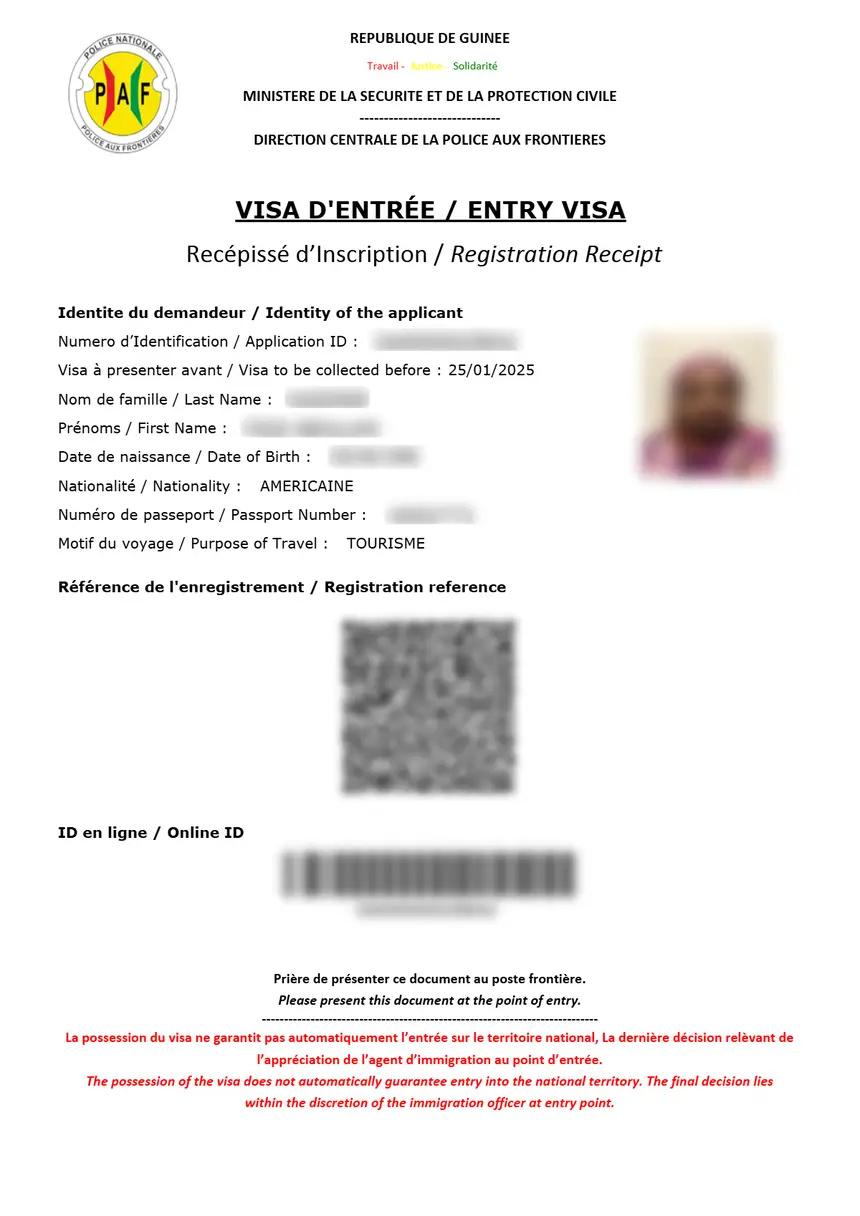
Download your Entry Visa Letter – After approval, the portal lets you download your Entry Visa Letter as a PDF. This document is essential – you must print it and present it at Conakry airport upon arrival. Airlines may deny boarding without it.
Start a new application – You can submit additional visa applications for family members or for future trips directly from your account without re-entering your basic profile information.
Track processing time – The portal displays the date your application was submitted and when it was last updated. Standard processing takes 3 to 5 business days, and you can monitor progress from your dashboard.
Guinea eVisa Login Troubleshooting
If you cannot access your account, here are the most common issues and solutions:
Forgot your password – Click the “Forgot Password” link on the login page. Enter your registered email address, and the system will send a password reset link. Check your spam or junk folder if the email does not arrive within 5 minutes.
Account not found – This usually means you entered a different email address than the one used during your application. Try all email addresses you may have used. If you still cannot locate your account, contact the portal support team through the official website.
Portal not loading – The paf.gov.gn portal may experience occasional downtime, especially during high-traffic periods (November through February). Try clearing your browser cache, using a different browser, or accessing the site during off-peak hours.
Application not showing – If you submitted your application through a third-party agency, your application may be linked to a different account. Contact the agency or reach out to portal support with your application reference number.
| Problem | Solution |
|---|---|
| Forgot password | Use “Forgot Password” link; check spam folder |
| Wrong email used | Try all email addresses you own |
| Portal slow or down | Clear cache, try different browser, retry later |
| Application missing | Check with agency or contact portal support |
| Locked out after attempts | Wait 30 minutes, then try again |
Guinea eVisa Login vs. New Application
If this is your first time using the portal, you will not have login credentials yet. You create your account during your first Guinea visa application. The system automatically generates login credentials tied to the email you provide on the application form.
After your first application is submitted, you can log in at any time to check status, download documents, or start new applications using the same account.
Security Tips for Your Guinea eVisa Account
Protect your visa account with these best practices:
- Use a strong, unique password that you do not reuse on other sites
- Log out of the portal when using shared or public computers
- Do not share your login credentials with third parties unless using a trusted visa agency
- Keep your registered email address secure, as it is used for password recovery
- Save a copy of your Entry Visa Letter on your device and in cloud storage after downloading
FAQs About Guinea eVisa Login
How do I create a Guinea eVisa login account?
Your account is created automatically when you submit your first eVisa application at paf.gov.gn. Use the email and password you provided during that application to log in.
Can I log in to check my Guinea visa status?
Yes. Log in at paf.gov.gn and navigate to “My Applications” to see the current status of your eVisa request. For more details, see our Guinea visa application status guide.
What email should I use to log in?
Use the same email address you entered on your eVisa application form. If you applied through an agency, ask them which email they used for your account.
I forgot my password – how do I reset it?
Click “Forgot Password” on the paf.gov.gn login page and enter your registered email. A reset link will be sent to your inbox. Check spam/junk folders if it does not arrive promptly.
Can I use the same login for multiple visa applications?
Yes. One account can hold multiple applications. You can apply for yourself and family members using the same login credentials.
Is the Guinea eVisa portal available in English?
The portal supports both French and English. Look for a language toggle on the top of the page to switch between the two.